
 Rename Payment Methods for WooCommerce
 Disable Payment Methods By Countries (WooCommerce Plugin)

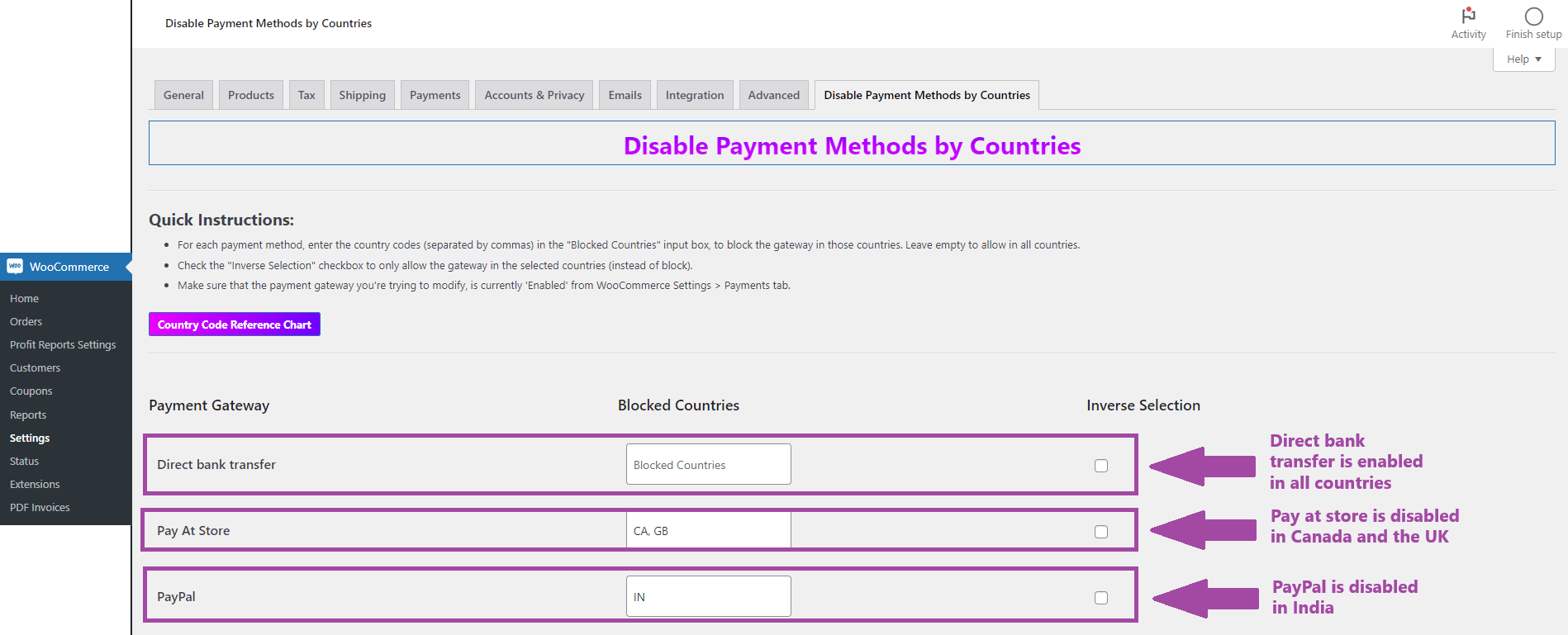
The Disable Payment Methods By Countries WooCommerce plugin allows store admins to disable specific payment methods for specific countries.
OVERVIEW
The "Disable Payment Methods By Countries" WooCommerce plugin by TechRBun allows store administrators to disable specific payment methods or payment gateways for specific countries.
With this plugin, you can customize the payment options available on your store to cater to the needs of different countries or comply with regional regulations, or enhance your checkout process by enabling or disabling payment methods for specific countries, ensuring a seamless and localized shopping experience.
FEATURES
- Block specific payment gateways or methods for a set of countries.
- Allow specific payment gateways or methods for only specific countries.
- Option to inverse selection.
- Fully compatible with all WooCommerce payment methods, payment gateway extensions and custom payment options made for WooCommerce.
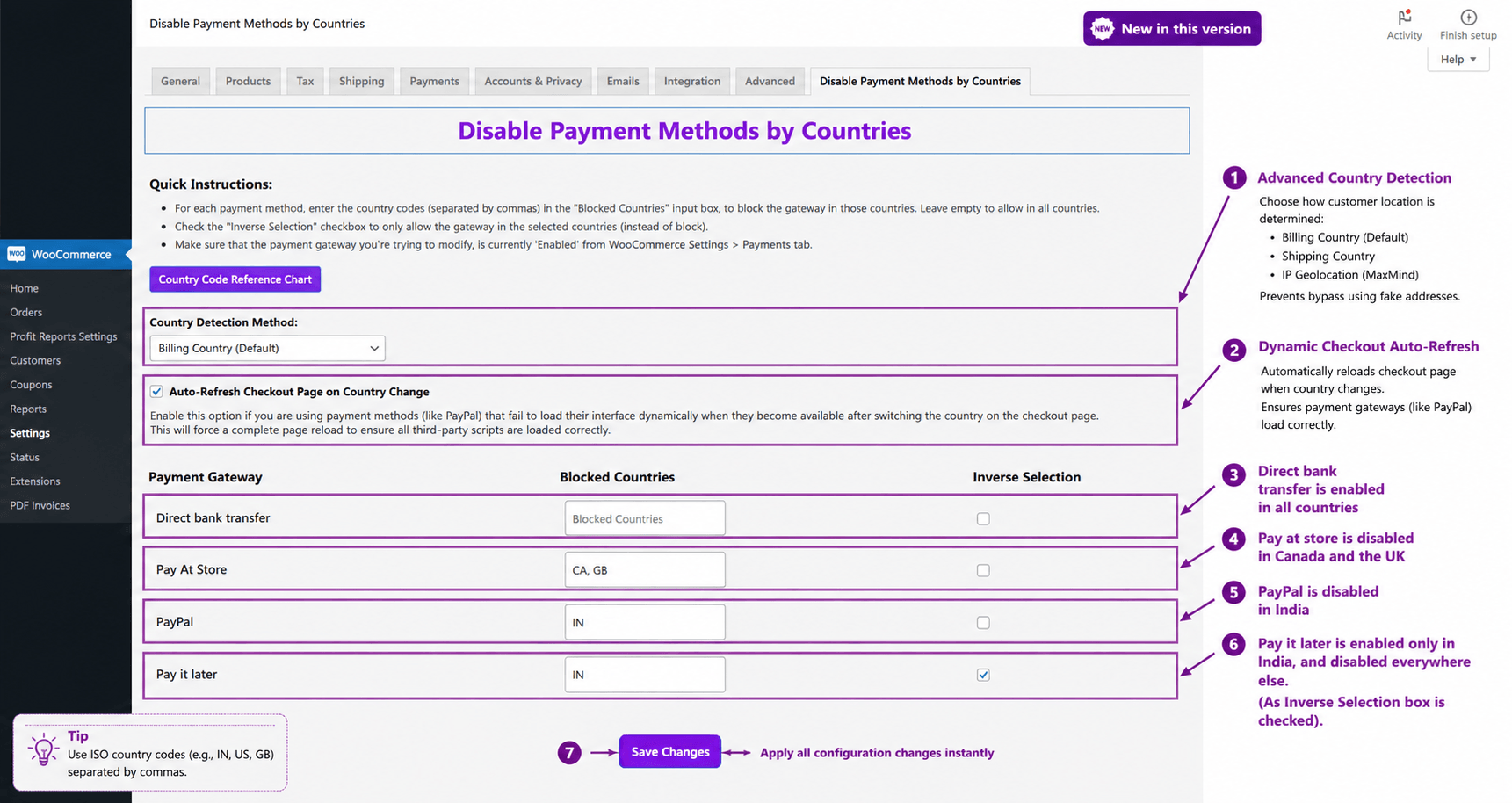
- Advanced Country Detection: Choose to detect the customer’s country via Billing Address, Shipping Address, or strictly through IP Geolocation using WooCommerce’s native MaxMind integration.
Installation
After purchasing the product, you'll be able to download the plugin zip file. After downloading the zip file, you need to upload it inside your WordPress dashboard at Plugins -> Add New -> Upload Plugin. The process is the same as installing any other plugin through the upload method.
After installation and activation is done, you'll find the Disable Payment Methods by Countries option tab on the WooCommerce Settings page, accessible from the left hand side menu bar.
The plugin will list all the payment methods that are currently enabled on your WooCommerce store. You will then be able to choose the countries where each payment method needs to disabled, respectively. You'll also have the option to allow some payment methods to only some specific countries, or to allow some payment gateways to all countries.
Here's an example screenshot explaining the usage of this plugin:
Support
You'll receive professional support for this plugin from the TechRBun team, accessible through [email protected], as long as your subscription is active. We're here to help you regarding any issue that you might face while installing or using this plugin.
RELATED PRODUCTS
